Online education

From renting a platform to owning one: how a tarot school now runs on its own, even when nobody is watching.

Taro Akademia teaches tarot, astrology and kabbalah in Bulgarian. For years the storefront, the checkout, the student logins and the course player all lived on Podia. We built the school an academy of its own: one it controls, and one that keeps working without anyone babysitting it.

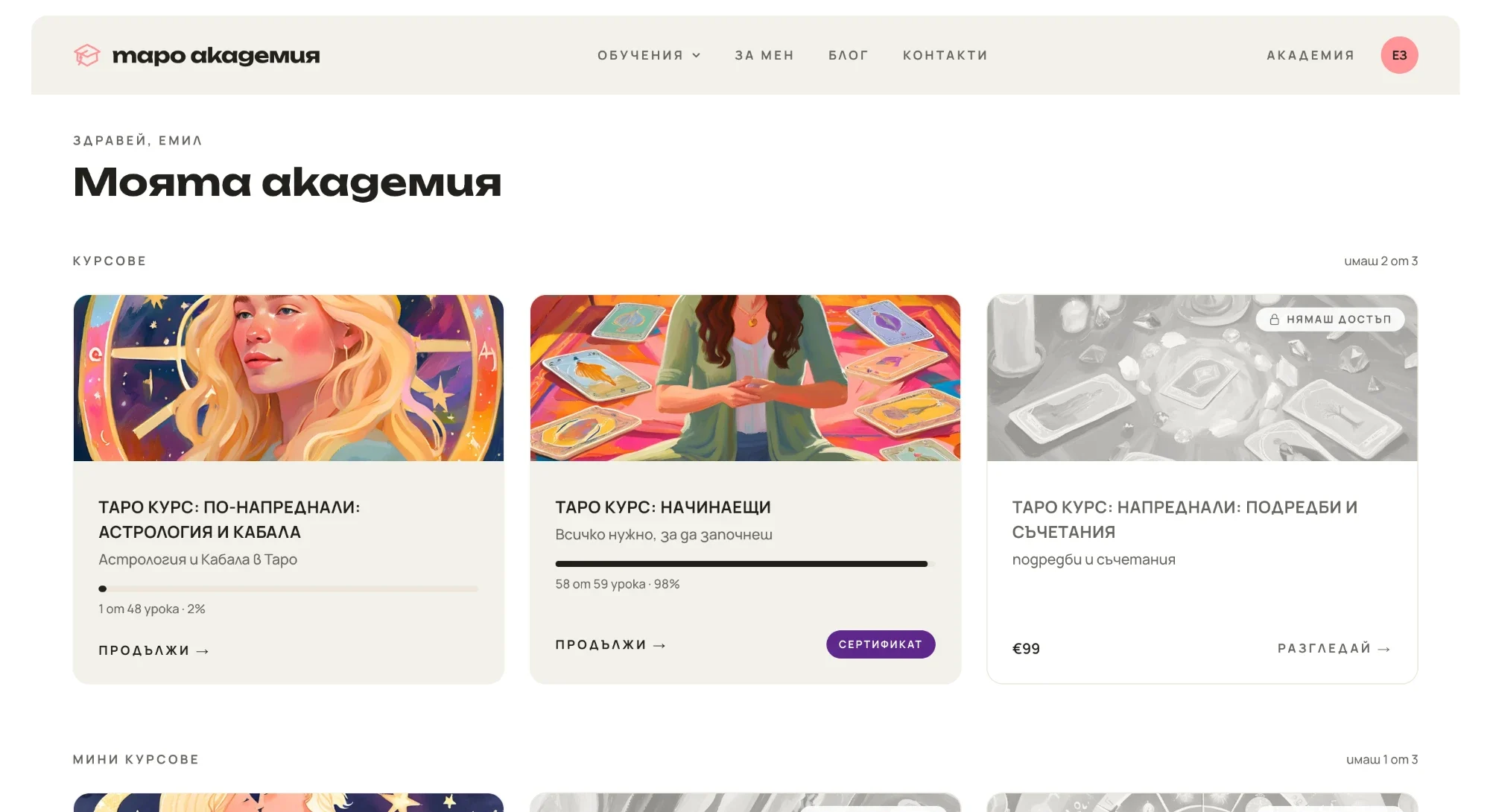
Taro Akademia's student dashboard: a course in progress, one completed with a certificate, and a locked course on offer

A business that lived on someone else's platform

Everything the school did, it did inside Podia, on someone else's domain. A student's identity, their access and their course files all belonged to the platform, and adding someone to a course was a support request: "Can you add me to the course?"

  • Access was whatever Podia tracked. Not a rule the school set itself.
  • Files sat behind temporary links. Many of the handouts, spreadsheets and slide decks were reachable only through links that expire, some within an hour.
  • Years of search rankings and bookmarks pointed at Podia-era addresses, so leaving put all of it at risk.

The school makes the rules now

On a platform the school owns, how the business behaves is a decision, not a setting someone else provides. These are the rules Taro Akademia chose.

What happens right after someone pays

Instead of Stripe's generic thank-you page, buyers land on the school's own page with a time-limited offer, like three webinars at half price. The offer skips anything they already own. It works only for the person who just paid, so a forwarded link is useless.
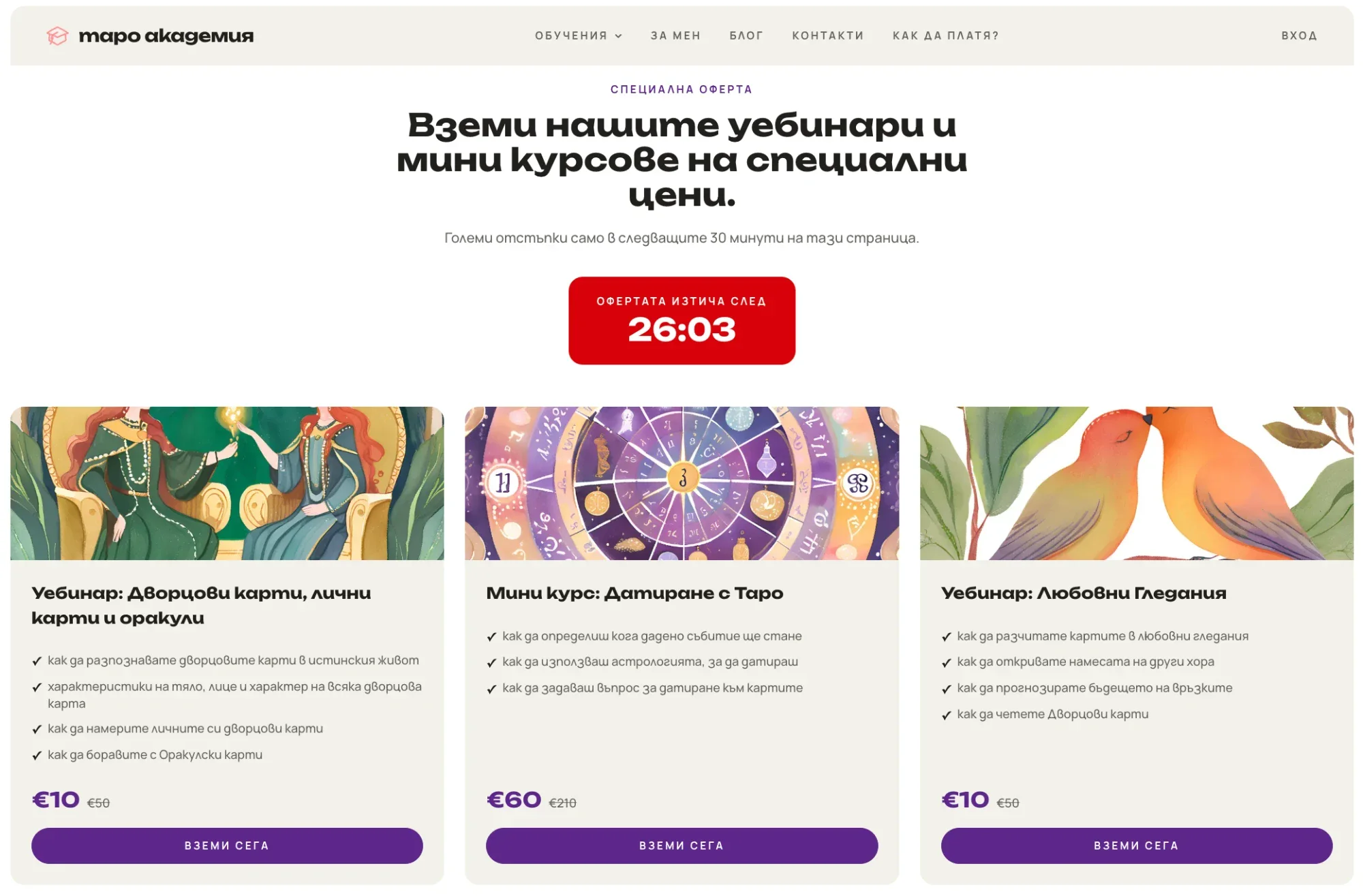
The post-purchase offer page: a countdown timer and three discounted webinars and mini courses with their prices

What students see when they log in

One dashboard shows what a student owns, with a progress bar and a button that resumes at the first unfinished lesson. What they don't own sits beside it, padlocked, with its price. A quiet sales pitch shown only to people who already like the school.

The student dashboard: a course in progress, a finished course with its certificate button, and a locked course with its price

What a lesson looks like

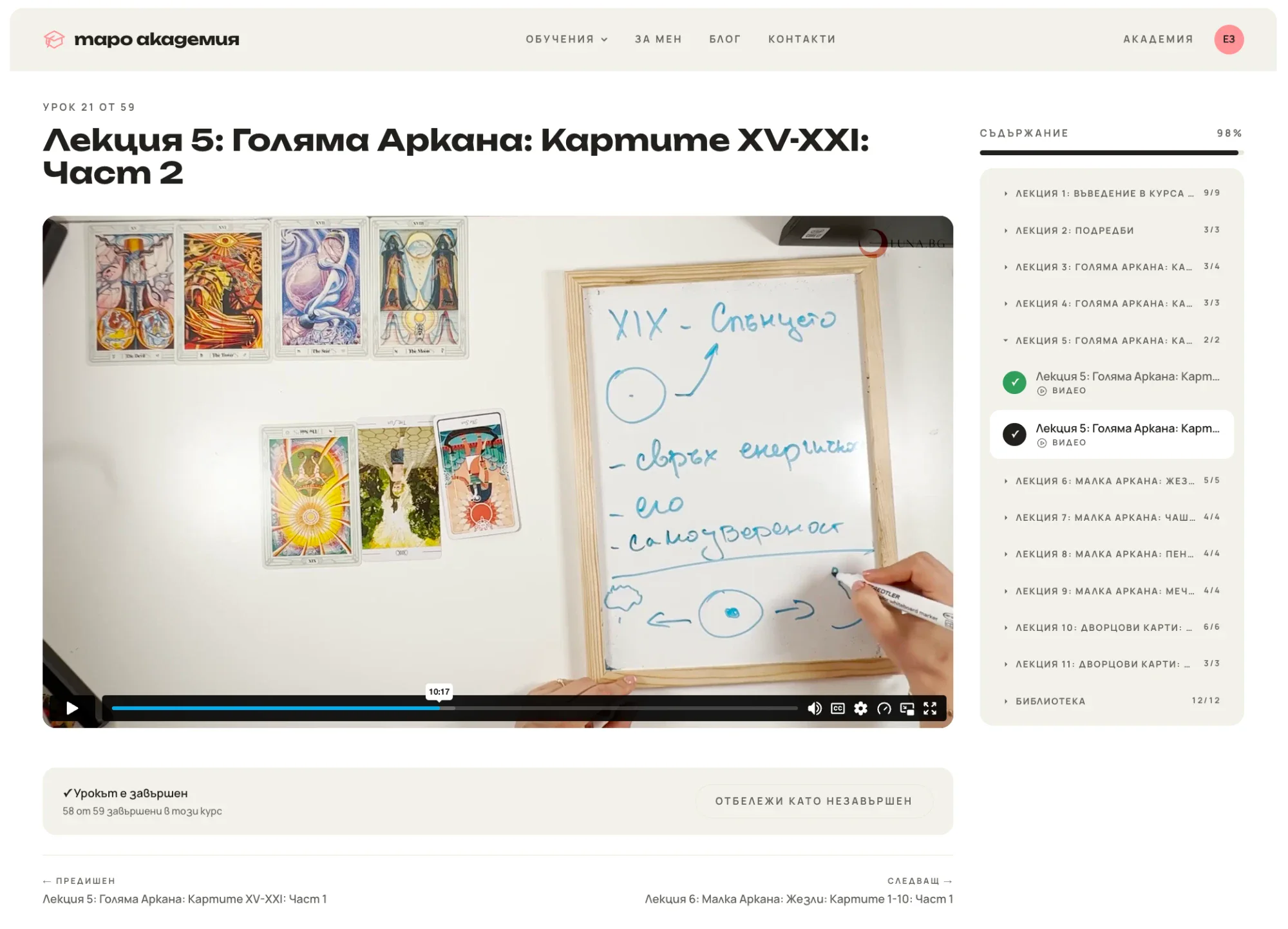
Each lesson opens on the school's own page: the video, a contents list with the student's progress, a button to mark the lesson done, and previous and next at the bottom. Students pick up exactly where they left off.

A lesson page: the video, a contents list beside it showing 98% progress, a completed marker and previous and next links

What a finished course earns

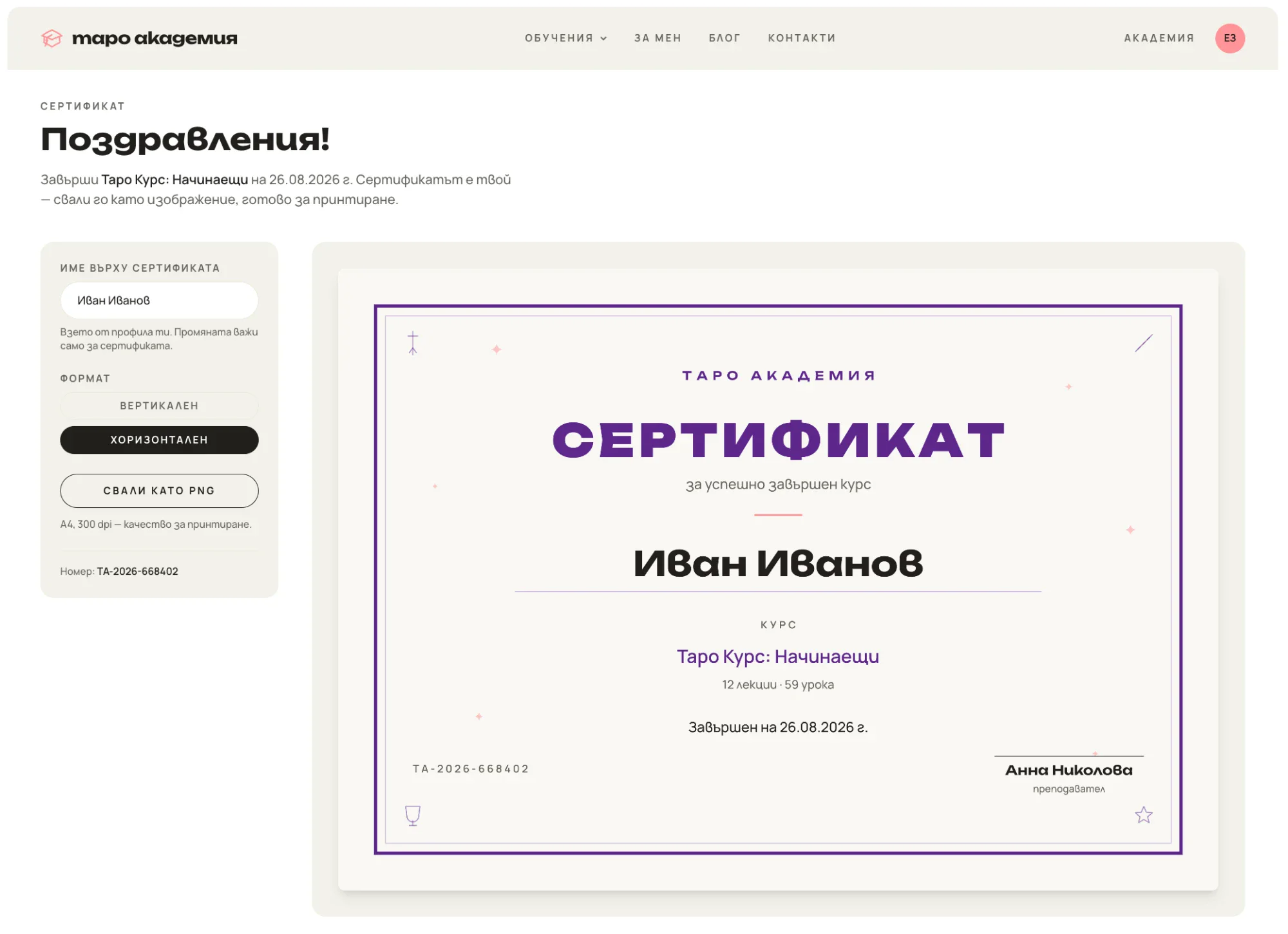
Finish a main course and a Сертификат button appears. Students check how their name is spelled and download a print-ready certificate. It stays theirs for life: expiry ends access to the videos, not the achievement.

The certificate page: a name field and portrait or landscape choice beside a print-ready landscape certificate with a download button

It keeps running when nobody is watching

When a customer pays on Stripe, an account, 12 months of access and a welcome email appear within seconds. Nobody in the school does anything.

  • If something goes wrong, someone is told. A payment that can't be matched, or a duplicate purchase, sends the admins an alert saying exactly what happened. A repeated message from Stripe is ignored, so nobody gets two enrollments from one payment.
  • Bank transfers and deals made by message end the same way: staff pick the person and the course in the admin panel, and it appears on the student's dashboard instantly. The academy can't tell it from a card purchase.
  • Access ends on its own. Expiry is a date checked on every visit, so a course lapses exactly on time with no scheduled job to forget or break.
  • The owner doesn't need a developer for day-to-day work. A built-in handbook of about 40 sections explains each feature in plain language, with the Control Panel paths to use, and it is updated together with every feature it describes.

From payment to the student's inbox

1Pays on StripeA student pays by card
2WebhookStripe notifies the platform
Unmatched or duplicateAdmins alerted
3Account createdOr matched to an existing one
4Enrollment createdAppears on their dashboard
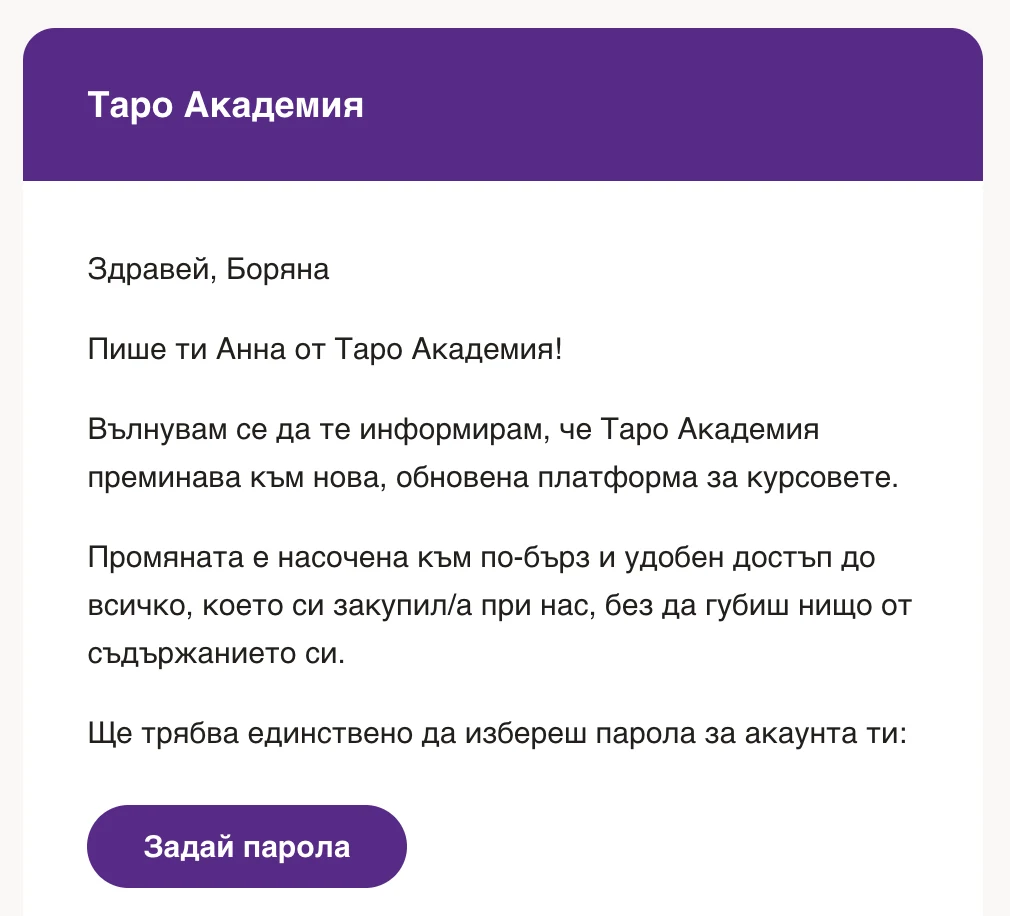
5Email landsWith a set-password button

Leaving without losing anyone

Owning the platform only counts if nobody was left behind in getting there. The owner uploaded one spreadsheet, and every student arrived with their purchases already in their account, so nobody had to register again. Activation emails then went out in small batches as a personal note signed by Анна, so a brand-new domain didn't read as spam to Gmail and Outlook.

Every course, handout and webinar recording was rebuilt on the school's own storage and video account, and every old address redirects permanently to its new page, so search rankings and bookmarks carried over.

The result

  • The school sets its own rules for offers, access, renewals and certificates.
  • A purchase becomes an account, access and an email with no manual step.
  • When something can't be matched, the admins are told instead of the customer discovering it.
  • Day-to-day work needs no developer.

Taro Akademia also got a new public website and sales flow. See the website case study

Running your business on a platform you've outgrown?

Tell me how your business runs today. Together we'll see what it could look like on a platform you control.

Let's talk about your business

Call Emil Text Emil on Viber